Home › Tender vs contract
Tender vs contract
Find the cost between what you priced and what you sign.
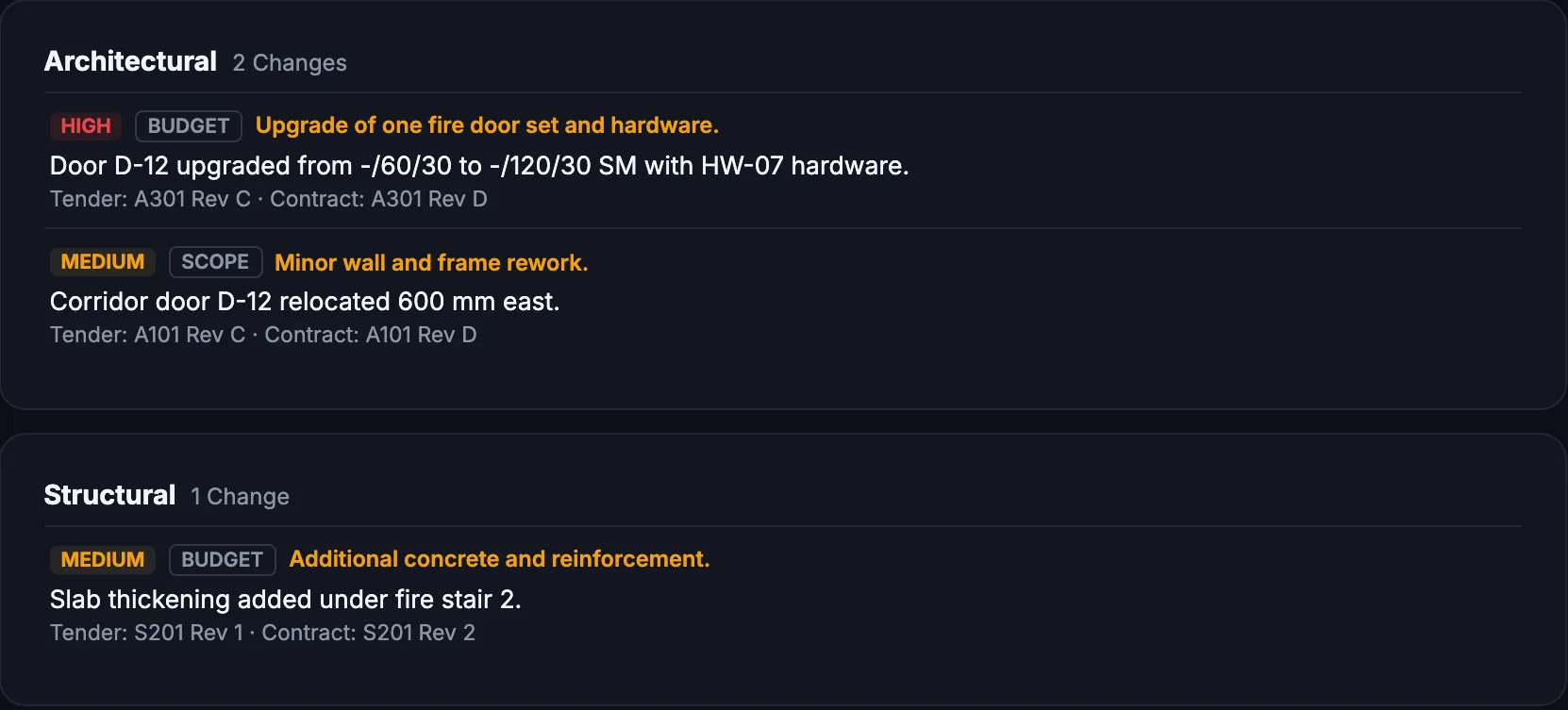
Tag the tender set and the contract set. The tender agent lists every difference by discipline, with its likely budget, program or scope impact — while there is still time to raise it.
3 items to pricebefore you sign — each opening on both drawings.
Fictional example project.
What changes for your team
Less reading. Fewer surprises.
Today
- Two sets read side by side, under deadline
- Changes found after the contract is signed
- Estimators re-reading drawings for scope
With ParitySense
- Every difference listed, by discipline
- Each one marked budget, program, scope, quality or risk
- Opens on both drawings at the change
- A PDF report for the commercial team
A day on site
Contract documents arrive two weeks before signing. The estimator tags both sets and gets twenty-three differences overnight — three with real cost — in time to raise them before the price is locked.
Illustrative scenario.
Questions
What do I need to upload?
The tender set and the contract set, tagged as such. The review runs automatically once both are present.
Does it price the changes?
It flags the likely impact type; your estimator prices it.
Can I share the result?
Yes, as a PDF report.
Read more: Tender vs contract differences
More from ParitySense
Revision check
Know what changed in a new issue — including the edits nobody clouded.
Revision check →Drawing register
A register that keeps itself current. No typing, no stale sheets.
Drawing register →RFI register
RFIs drafted from the evidence, on time and on the record.
RFI register →Compliance checks
Specialist agents check every set against the building code.
Compliance checks →See it on your own drawings.
A 30-minute demo, or a pilot on one live project.