Home › RFI register
RFI register
RFIs raised the day the issue lands — not the week after.
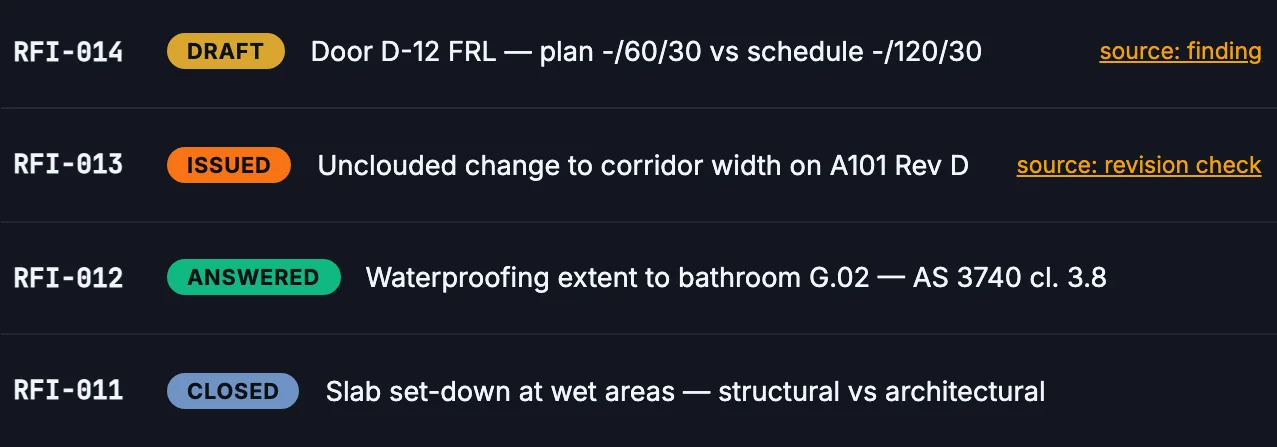
When an agent finds a conflict or an unclouded change, the RFI agent drafts a numbered RFI with the references and drawing attached. You review it and send it.
≈ 12,900 hours backa year — about $1.9M, and every RFI inside its time bar.
Modelled on Navigant RFI data — see the calculator.
What changes for your team
Less reading. Fewer surprises.
Today
- References hunted down and cropped by hand
- RFIs wait for someone’s free afternoon
- Notice periods run while the draft sits
- Numbers lost or reused in spreadsheets
With ParitySense
- Drafted with both documents quoted and the drawing attached
- Raised the same day the issue is found
- Tracked with status, recipient and due date
- Numbers kept for good — a voided RFI stays on record
A day on site
The door schedule says -/120/30; the plan says -/60/30. From the finding, you click Draft RFI. The draft quotes both documents and the clause that governs. You tighten one sentence and send it.
Illustrative scenario.
Questions
Can ParitySense send RFIs automatically?
No. Drafting is automatic; sending is always a person’s decision, recorded in the audit log.
Can I export the RFI register?
Yes, as CSV, and each RFI as a PDF.
Does it connect to Aconex or Procore?
Integrations are in development. Today you export or copy the RFI into your system.
Read more: Writing RFIs that get answered
More from ParitySense
Revision check
Know what changed in a new issue — including the edits nobody clouded.
Revision check →Drawing register
A register that keeps itself current. No typing, no stale sheets.
Drawing register →Tender vs contract
Find the cost hiding between what you priced and what you sign.
Tender vs contract →Compliance checks
Specialist agents check every set against the building code.
Compliance checks →See it on your own drawings.
A 30-minute demo, or a pilot on one live project.